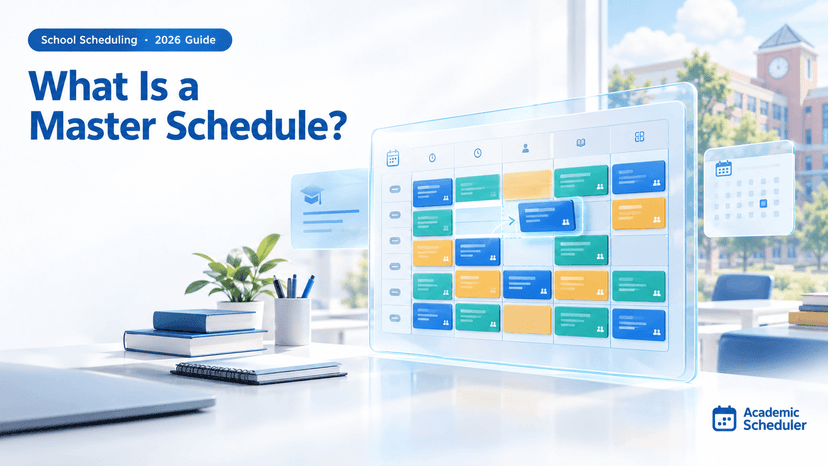
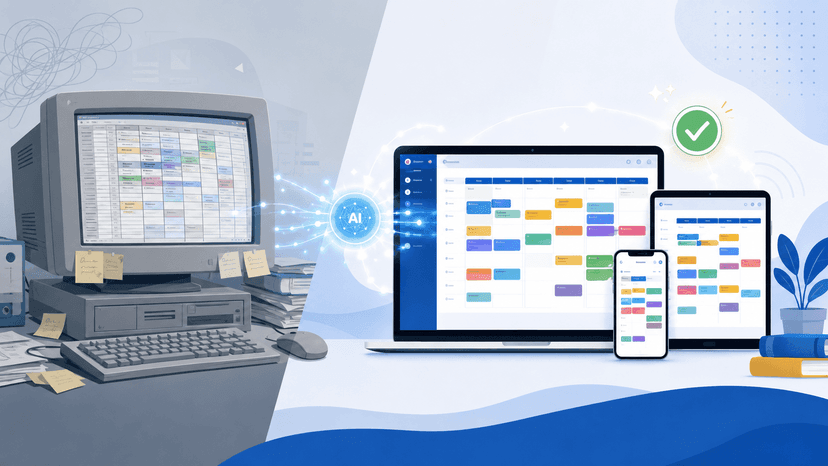
Choosing school scheduling or master schedule software? Use our 10-point checklist, demo questions and red flags to pick the right tool before you commit.
Written by Muhammad Huzaifa, Founder of Academic Scheduler · Updated October 2026 · Insights from 350+ school onboardings
Choosing school scheduling software is a decision you live with for years. Pick a tool built for a different kind of school and you end up fighting it every term. This guide is a buyer's checklist for school scheduling software and master schedule builders in 2026: what the two main types are, what to look for, the questions to ask in a demo, and where Academic Scheduler fits (and where it doesn't).
Quick answer: how do you choose school scheduling software?
Choose school scheduling software in three steps. First, match the type to your school: class-based timetabling or student-level master scheduling. Second, test it with your real data, checking teacher clash prevention, teacher availability, weekly subject limits, substitutions, exports and sharing. Third, confirm the price, support and how the next school year is handled.
What Is School Scheduling Software?
School scheduling software is a tool that builds and manages the timetable for a whole school: which teacher teaches which subject to which class, in which period, on which day. Good scheduling software for schools stores your periods, subjects, teachers and classes once, then uses them to prevent clashes, produce every class and teacher timetable, and handle the changes that happen during the year.
You will also see it called master scheduling software, a master schedule builder or an online master scheduler. The "master schedule" is the single school-wide plan that every individual timetable is read from. If you want the full definition and a step-by-step method for building one, read our guide: What is a master schedule? This article focuses on the software side: how to pick the right tool.
In our onboarding calls, the most common reason a school starts looking for software is not that the first timetable was hard to make. It is that the timetable kept breaking afterwards: a teacher left, a section was split, a part-time teacher changed days, and every fix in one place caused a clash somewhere else.
The Two Types of School Scheduling Software (Pick the Right One First)
This is the decision most buyers skip, and it matters more than any feature list. "Scheduling software for schools" covers two quite different jobs:
| Class-based timetabling | Student-level master scheduling | |
|---|---|---|
| How students move | A class or section (Grade 7A) stays together and follows one timetable | Each student picks courses and gets a personal schedule |
| Main input | Periods, subjects, teachers, classes and weekly periods per subject | Course requests from every student, plus sections, teachers and rooms |
| Typical schools | Primary, middle and most secondary schools worldwide, coaching centres, many colleges | Many US high schools and universities with large elective catalogues |
| Main risk it solves | Teacher double-booking, unbalanced subject loads, time lost to changes | Students who cannot fit required courses |
| Where it usually lives | Standalone timetable software | Often a module of the student information system (SIS) |
If your classes stay together for the day, a class-based tool will be faster to set up and far easier for one coordinator to run. If every student builds an individual course load, you need student-level scheduling, and a class-based tool will not be enough on its own. Be honest about which one you are, because demos tend to blur the line.
Key Benefits of Using a Master Schedule Builder
1. Time Savings and Efficiency
A master schedule builder turns timetabling from a weeks-long puzzle into a setup task. You enter your periods, subjects, teachers and classes once; after that, building and changing the timetable is a matter of placing lessons, not cross-checking spreadsheets. The time you save is mostly in the changes, which keep coming all year.
2. Conflict Prevention
Good school scheduling software stops a teacher from being booked into two classes at the same time while you build, instead of leaving you to find it on the first day of term. This one check is the main reason schools move off Excel.
3. Fairer Teacher Workloads
Because every lesson is linked to a teacher, the software can show how many periods each teacher has per day and per week. Overloaded and underused teachers become visible before the timetable is published, not after the complaints start.
4. Flexibility and Adaptability
School schedules change throughout the year. With scheduling school software, you change a lesson once and every class and teacher view updates. Absences are handled by finding a teacher who is free in that period, not by phoning around.
Essential Features: What to Look for in Scheduling Software for Schools
Use this table in every demo. The third column is the question that separates a real feature from a slide in a sales deck. For a deeper look at each item, see our list of must-have academic scheduling software features.
| Feature | Why it matters | Ask in the demo | Red flag |
|---|---|---|---|
| Clash prevention | Stops teacher double-booking | "Show me what happens when I put a busy teacher into another class." | Clashes only appear in a report after you finish |
| Teacher subjects and availability | Only valid teachers can be placed; part-timers stay on their days | "Can I limit a teacher to certain days and periods?" | Availability is a free-text note |
| Weekly subject limits | Every class gets the right number of periods per subject | "Where do I set periods per week for each subject in each class?" | You count lessons by hand |
| Automatic generation | Fills the grid quickly, within your rules | "Can I review the result before it overwrites anything?" | All-or-nothing generation that replaces manual work |
| Teacher timetables | One source of truth, no second copy to maintain | "Are teacher timetables generated from class timetables?" | Teacher views are built separately |
| Substitutions | Daily absences are the most frequent change | "Show me who is free to cover Period 3 today." | No substitution tool at all |
| Exports and sharing | Teachers and parents need the timetable, not a login | "Which formats can I download, and can I share a protected link?" | Screenshots are the only way to share |
| Exam timetables | Exams have different rules from the weekly timetable | "Can I manage exam types and exam days in the same tool?" | A separate tool or spreadsheet for exams |
| Next school year | You will rebuild every year | "How do I start next year without losing this year?" | You overwrite last year's data |
| Ease of use | The person who builds the timetable is rarely IT staff | "Can I build one class myself during the trial?" | Setup requires paid consulting days |
How to Choose the Right School Scheduling Software: A 10-Point Checklist
Work through these in order. If a tool fails one of the first four, stop there; nothing later will make up for it.
- Type fit. Is it class-based timetabling or student-level master scheduling, and which one does your school actually need?
- Your real constraints. List the rules that make your timetable hard: shared teachers, part-time staff, double periods, a shorter Friday. Check each one in the tool.
- Clash prevention while building. Not just a final report.
- Trial with your own data. Build at least two complete classes with real teachers during the trial. Sample data always looks easy.
- Changes during the year. Move a lesson, replace a teacher, handle an absence. Time how long each takes.
- Outputs. Class, teacher and whole-school daily views; PDF and Excel downloads; a way to share with staff.
- Access. Cloud or installed? Can the coordinator work from home in the holidays?
- Multiple years and branches. How it handles next year's timetable and, if you have them, several campuses.
- Language and region. Does it support the language your staff work in?
- Price and support. Clear pricing, a free trial without a credit card, and a real person to email when you are stuck.
Online Master Scheduler vs Installed Desktop Software
Older master scheduler software was installed on one computer in the school office. An online master scheduler runs in the browser. Both can produce a good timetable; the difference is in how people work with it afterwards.
| Online (cloud) | Installed desktop | |
|---|---|---|
| Where you can work | Any device with a browser | The computer it is installed on |
| Sharing with teachers | Links that always show the latest version | Exported files that go out of date |
| Updates and backups | Handled by the provider | Your responsibility |
| Internet needed | Yes | No |
| Cost model | Subscription | Usually a licence, sometimes with paid upgrades |
Many of the schools we onboard are moving from installed tools such as aSc TimeTables. If that is you, our aSc TimeTables alternative guide compares the options in detail.
Implementing School Scheduling Software: Best Practices
Start Early
Begin your master schedule builder setup two to three weeks before term at the latest. Late teacher confirmations always arrive, and you need room to absorb them without republishing the timetable in the first week.
Gather Accurate Data First
Before you open any tool, collect your period times, a single agreed list of subject names, every teacher with the exact subjects they teach and the days they are available, and every class with its subjects and weekly periods. In our onboarding calls, schools that arrive with this ready finish far faster than schools that gather it as they go. Our step-by-step guide to making a school timetable walks through exactly what to prepare.
Involve Stakeholders
Ask heads of department to confirm subject loads and teacher assignments before you build. A quick sign-off up front prevents most "this is wrong" messages after publishing.
Pilot on Two Classes
Build two complete classes first. This tests your data, shows any missing teacher assignments, and confirms your period counts before you repeat the work across the whole school.
Plan for Contingencies
Decide now who handles daily substitutions and how teachers will be told. Your school scheduling software should make the "who is free right now?" question a one-screen answer.
Common Challenges in School Scheduling and How Software Solves Them
Challenge: Teacher Conflicts
Solution: The software knows where every teacher is in every period, so it blocks a second booking instead of letting it through. Teachers shared across many sections stop being the weak point of the timetable.
Challenge: Unbalanced Subject Loads
Solution: Weekly limits per subject per class give you a target to fill and a way to confirm each class is complete. You no longer find Maths seven times and Art zero times in one class's week.
Challenge: Part-Time and Visiting Teachers
Solution: Availability by day and period keeps these teachers on the days they actually work, so you are not relying on someone remembering a note in the margin.
Challenge: Last-Minute Changes
Solution: Change one lesson and every view updates, because class and teacher timetables come from the same data. For absences, a substitution screen lists who is free in each period.
Challenge: Getting the Timetable to Everyone
Solution: PDF and Excel downloads for notice boards and records, and shareable links so teachers can check their timetable on their phones.
Where Academic Scheduler Fits (and Where It Doesn't)
Academic Scheduler is cloud-based, class-based school scheduling software, used by 350+ schools, colleges, coaching centres and universities. It is built for institutions where each class or section follows one timetable.
What it does
- Guided setup: periods with start and end times, subjects, teachers with their allowed subjects and availability by day and period, and classes with a weekly count (or Unlimited) for each subject.
- Clash prevention: a teacher is never booked in two places at once while you build the timetable.
- AI scheduling: on plans that include it, write an instruction such as "put Maths in the morning" and the AI fills only the empty periods of a class. You review the suggestions and nothing is saved until you click Save.
- Every view from one source: class and teacher weekly timetables (teacher timetables are created automatically), a Daily Timetable for the whole school, and a per-period panel showing which teachers are free.
- Substitutions: pick an absent teacher and day, see who is free for each period, and email the substitute the details in one click.
- Exam timetables: manage exam types and exam days for all classes.
- Sharing and export: download as PDF or Excel, or share a password-protected link.
- Statistics: subject, teacher and class distribution, including each teacher's weekly workload.
- Academic sessions: each school year is kept separate, and a new session can copy last year's setup.
- Multi-branch: an Organization account manages every branch from one login.
- Languages: English and French.
Where it is not the right tool
Academic Scheduler does not take individual student course requests or build personal schedules for each student, and it does not schedule rooms or labs. If your school needs student-level master scheduling, use your SIS scheduling module or a dedicated student-scheduling product for that part. We would rather tell you now than during your trial.
Plans and trial
There are three plans (Basic, Pro and Premium), and current prices are on the pricing page. Every plan starts with a 14-day free trial, with no credit card required.
Getting Started: A 5-Step Evaluation Plan
Step 1: Define Your Requirements
Write down your school type (class-based or student-level), number of classes and teachers, and the three rules that make your timetable hardest. That is your shortlist filter.
Step 2: Shortlist Two or Three Tools
Compare school scheduling software against the feature table above, not against marketing pages. Drop anything that fails the type fit.
Step 3: Run the Demo Questions
Ask every question in the "Ask in the demo" column, and ask to see it done live rather than on slides.
Step 4: Pilot With Real Data
Use the free trial to build two real classes and their teachers' timetables. Then make three changes and handle one absence. This tells you more than any demo.
Step 5: Roll Out
Build the full timetable, have a second person review it, then share it with teachers. Keep a short change log from day one.
The Future of School Scheduling: What Is Changing in 2026
AI That Works Inside Your Rules
AI is most useful when it fills gaps within the constraints you have already set and lets you review the result, not when it replaces the timetable wholesale. Instructions in plain language ("no PE in the first period") are becoming normal.
Mobile Access for Teachers
Teachers expect to check today's timetable on their phone. Shareable, always-current links are replacing printed copies as the main way staff read the schedule.
Cloud-Based Solutions
Cloud tools remove installation and backups from the school's to-do list and let the coordinator work from anywhere. That is the main reason schools are leaving installed desktop timetablers.
Related: see school scheduling software and master schedule software.
Frequently Asked Questions
What is the best school scheduling software?
The best school scheduling software is the one built for your type of school. If classes stay together, choose a class-based timetabling tool with clash prevention, teacher availability, weekly subject limits and substitutions. If every student picks courses, you need student-level master scheduling, often part of your SIS. Always test it with your own data in a free trial.
What is master scheduling software?
Master scheduling software builds a school's master schedule: the single plan of which teacher teaches which class and subject in each period. Every class and teacher timetable is read from it. A master schedule builder stores your periods, subjects, teachers and classes, prevents clashes, and updates every view when something changes.
Is there free scheduling software for schools?
Spreadsheets are free but leave all the clash checking to you. Most dedicated scheduling software for schools is paid but offers a free trial. Academic Scheduler has a 14-day free trial with no credit card required, so you can build a real timetable before deciding.
What course scheduling system do high schools use?
It depends on how the school runs. High schools where students choose individual courses often use the scheduling module of their student information system. High schools where each class or section follows one timetable usually use dedicated timetable software, which is quicker to set up and easier to change during the year.
Can scheduling software create the school timetable automatically?
Yes. Many tools can fill the timetable automatically within your rules: teacher availability, weekly subject limits and existing lessons. The safest tools let you review the result before saving. In Academic Scheduler, AI scheduling fills only a class's empty periods and shows a preview first.
How long does it take to set up school scheduling software?
Most of the time goes into preparing data, not learning the software. With period times, subjects, teachers and classes ready, a school can usually set up and build its first class timetables in a single sitting, then complete the rest over the following days.
Try It With Your Own Timetable
The fastest way to judge any school scheduling software is to build two real classes in it. Start a 14-day free trial of Academic Scheduler, with no credit card required, and see your own master schedule take shape.