Before you buy academic scheduling software, check these 8 features: auto-generation, clash detection, substitutions, exports and more. Free checklist inside.
Not all academic scheduling tools are built the same. Before your school invests in one, here are the 8 features that separate truly powerful software from expensive disappointments — and the questions you should be asking every vendor.
Why Choosing the Right Software Matters
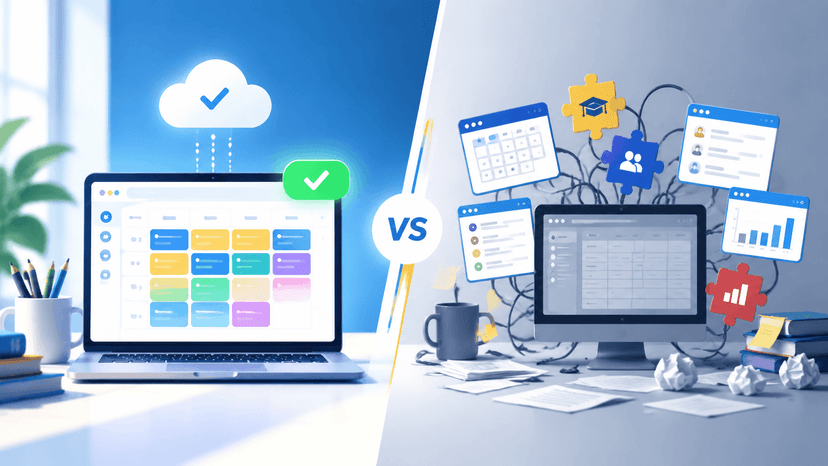
Schools spend significant time and budget on academic scheduling software — and many end up frustrated. Either the tool is too complex for daily use, lacks critical features, or creates more problems than it solves.
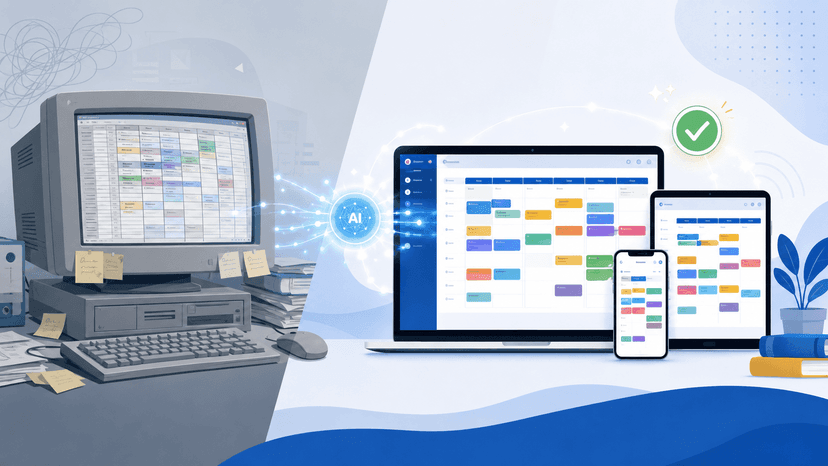
The right software should reduce timetable creation from weeks to hours, eliminate conflicts automatically, and give every stakeholder — teachers, students, administrators — exactly the information they need, when they need it.
Here are the 8 features your shortlist must include before you commit.
Feature 1: Automatic Conflict Detection and Prevention
This is non-negotiable. Any scheduling software worth considering must automatically detect and prevent timetable conflicts before they become a problem. This includes:
- Teacher double-booking — same teacher assigned to two classes at the same time
- Room conflicts — two classes scheduled in the same classroom simultaneously
- Student group overlaps — students required to be in two places at once
- Uneven subject distribution — same subject scheduled back-to-back for multiple days
What to Ask the Vendor
"Does your system flag conflicts in real-time as I build the schedule, or only after I run a final check?" — Real-time detection saves far more time.
Feature 2: Smart Teacher Substitution
Teacher absences are an everyday reality in schools. How your scheduling software handles them can mean the difference between a chaotic morning and a seamless one.
A strong substitution feature should:
- Instantly show which teachers are free during the affected period
- Filter substitutes by subject qualification — not just availability
- Automatically update the timetable once a substitute is confirmed
- Notify the substitute teacher and affected class without manual messages
Without this feature, administrators waste 20–30 minutes every time a teacher calls in sick. Multiply that across a full academic year and the cost in time is enormous.
What to Ask the Vendor
"When I mark a teacher absent, does the system suggest qualified replacements automatically — or do I still have to search manually?"
Feature 3: Multiple Timetable Views (Teacher, Class, Room)
Different people in your school need different perspectives on the same timetable. A teacher wants to see their personal weekly schedule. A coordinator wants to see all classes in a given room. A student wants their section's timetable.
Your software should offer all of the following views without requiring you to rebuild or export anything:
- Teacher view: Every period a specific teacher is assigned across the week
- Class/Section view: Full weekly timetable for a specific student group
- Room view: All bookings in a specific classroom, lab, or venue
- Day view: Everything happening across the entire school on a given day
- Period view: All classes running during a specific time slot
What to Ask the Vendor
"Can I switch between teacher, class, and room views in one click — without re-exporting or regenerating the schedule?"
Feature 4: Vertical and Horizontal Layout Options
Timetables are used in many different contexts — printed on a classroom wall, displayed on a school TV screen, sent as a PDF to parents, or reviewed on a laptop. A single fixed layout will not serve all of these purposes.
Look for software that offers both:
- Vertical layout: Period-by-period progression down the page — ideal for printing and wall displays
- Seating charts: Pair timetable information with a seating chart classroom generator to organize students quickly and produce a clear room layout for teachers, substitutes, and classroom displays.
- Horizontal layout: Day-by-day spread across the page — better for digital screens and weekly overviews
The ability to switch layouts instantly, without regenerating the timetable, saves time and ensures your schedules always look professional regardless of how they are shared.
Feature 5: Exam Timetable Management
Regular class scheduling and exam scheduling are two different challenges — and your software should handle both. Exam periods introduce unique constraints that a basic timetable tool cannot manage:
- No student group should have two exams at the same time
- Adequate gaps must exist between consecutive exams for the same students
- Invigilators need to be assigned based on availability — not just seniority
- Exam venues need to reflect actual student numbers, not default classroom sizes
- Multiple exam formats — written tests, practicals, orals — may run simultaneously
What to Ask the Vendor
"Does your exam scheduling module handle invigilator assignment and student clash detection automatically, or is that a manual process?"
Feature 6: Multi-Format Export (PDF, Excel, CSV, Image)
Timetables don't live only inside the scheduling tool. They get emailed to parents, printed for classrooms, uploaded to school websites, and imported into other management systems. Your software must support flexible exports without forcing you to recreate anything.
The four formats every school needs:
- PDF: Official distribution to parents, students, and notice boards
- Excel (.xlsx): Further analysis, reporting, or integration with HR and payroll systems
- CSV: Importing into other platforms, database archiving, or data migration
- Image (PNG/JPG): Quick sharing on school websites, WhatsApp groups, or digital signage
If a vendor only offers one or two of these, that is a gap you will feel every single term.
Feature 7: Easy Sharing and Permission Controls
Timetable information needs to reach the right people — but not everyone should be able to edit it. Strong scheduling software includes built-in sharing with role-based permissions:
- Share specific timetables directly with individual teachers via email or link
- Allow students and parents to view — but not edit — their schedules
- Restrict editing access to senior administrators only
- Send automatic update notifications when a schedule changes
- Publish department-level schedules without exposing the full school timetable
What to Ask the Vendor
"If I update a timetable mid-term, do teachers and students automatically see the new version — or do I have to re-send it manually?"
Feature 8: Ease of Use Without Technical Training
This is the feature most buyers overlook — and the one that causes the most post-purchase regret. A scheduling system can have every capability on this list, but if it takes three days of training to use and constant IT support to maintain, your administrative team will avoid it.
True ease of use means:
- A new administrator can generate a full timetable on day one, without a manual
- Common tasks — substitution, exports, sharing — take no more than 2–3 clicks
- The interface works on a browser without installing additional software
- Mobile access so changes can be made from anywhere, not just the admin office
- Clear error messages that explain what went wrong and how to fix it
Always request a free trial or live demo before purchasing. If the demo itself requires a guided walkthrough just to navigate, that is a warning sign.
Bonus: 3 Questions to Ask Before Signing Any Contract
Beyond the 8 features above, these three questions will protect your school from common pitfalls:
-
"What happens to our data if we cancel the subscription?"
Make sure you can export all your historical timetable data in a standard format before your access ends. -
"How many schools your size are currently using this software?"
A tool built for a 200-student school may not scale gracefully to 1,500 students and 80 teachers. -
"What is your support response time during the first week of a new term?"
That is when scheduling issues are most critical — and when support queues are longest. Know what you're getting before you need it.
The Bottom Line: Features Are Only Valuable If You'll Actually Use Them
The best academic scheduling software is not necessarily the one with the longest feature list — it is the one your team will confidently use every single day. Start with these 8 features as your baseline, test with a real scenario from your school during the demo, and always involve the administrator who will use the tool daily in the final decision.
A well-chosen scheduling tool transforms weeks of manual work into hours, eliminates the errors that disrupt teaching time, and gives every person in your institution clear, instant access to the information they need.
Use this list as your checklist. Share it with your team. And make the right choice the first time.
See These Features in Action — Free
Academic Scheduler covers the core of this list, from conflict detection and substitutions to exam timetables and PDF/Excel export. No technical setup. No training required. Generate your first conflict-free timetable in under 2 hours.
Start Your Free TrialNo credit card required · Works for schools of any size