School Scheduling Software That Builds Clash-Free Timetables
Set up your periods, subjects, teachers and classes once. Academic Scheduler builds the weekly timetable with you, blocks every teacher clash as you go, and keeps the whole school on the latest version.
Used by 350+ schools and institutions · 14-day free trial · No credit card
What is school scheduling software?
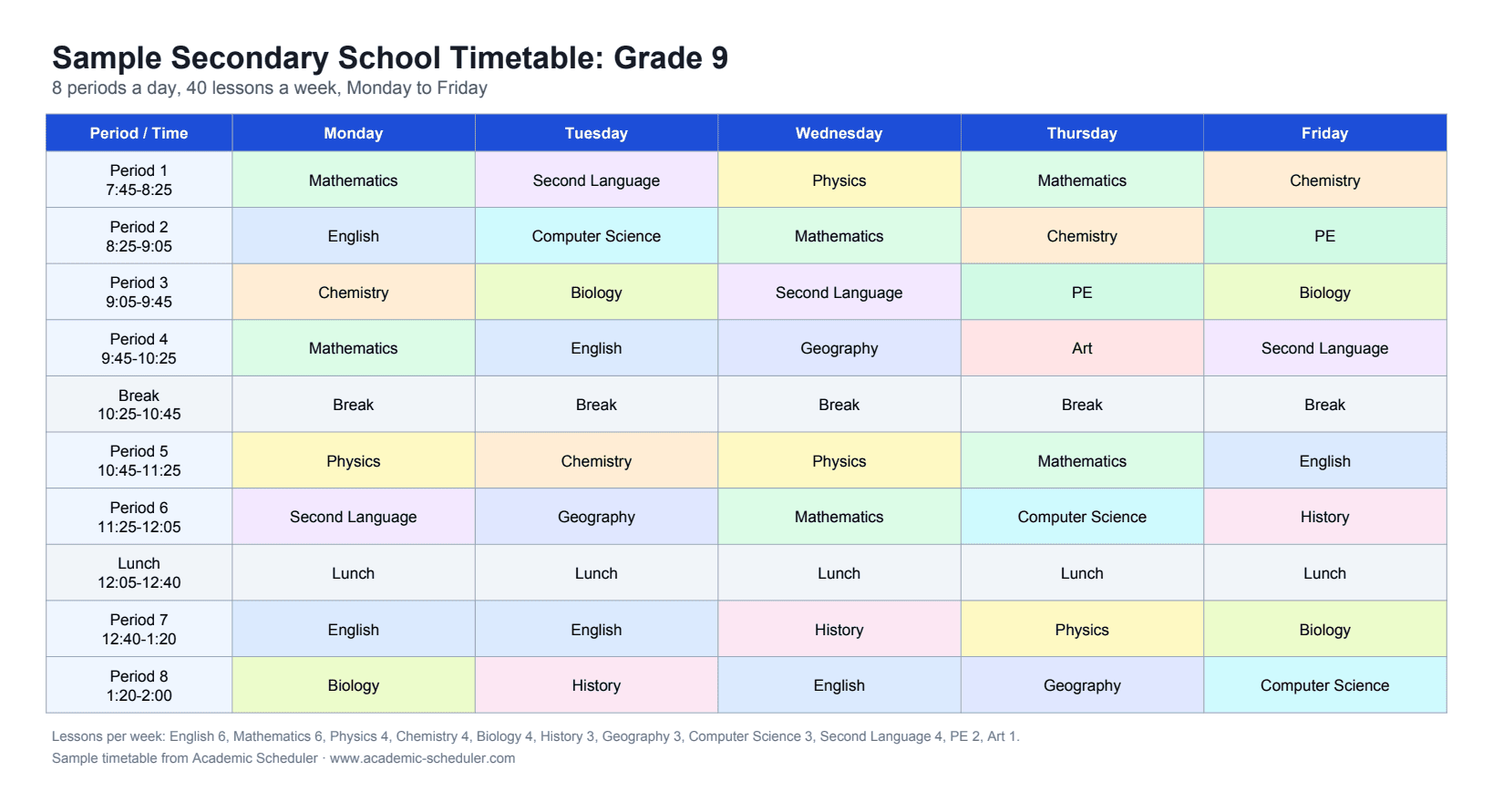
School scheduling software is an online tool that builds and manages a school's timetable: which teacher teaches which subject to which class in every period of the week. Instead of a spreadsheet, it checks every change against the rest of the timetable, so a teacher can never be in two classes at once and each subject gets the right number of lessons.
Academic Scheduler is cloud school scheduling software used by 350+ schools and institutions. It runs in the browser, needs no installation, and covers the full cycle: setup, building the weekly timetable (by hand or with AI help), daily substitutions, exam timetables, sharing and printing.
Why timetables in Excel keep breaking
Hidden teacher clashes
A teacher booked in two classes at the same time often isn't noticed until the first day of term.
Subjects short of lessons
Without a running count, some classes end up with too many or too few periods of a subject each week.
One change, ten fixes
Moving a single lesson in a spreadsheet can quietly break other classes and teachers' schedules.
Old copies everywhere
Printed and emailed versions go out of date the moment anything changes.
Everything a school timetable needs
Build the weekly timetable without clashes
Work in Edit Mode on any class. When you pick a period, teachers who are already teaching elsewhere at that time are greyed out, and each subject shows how many of its weekly lessons are used.
- Busy teachers blocked automatically
- Weekly lesson limits per subject (e.g. used 3/4)
- Teachers limited to the subjects they can teach
- More than one teacher in a period when you need it
Let AI fill the empty periods
Describe what you want in plain English. The AI suggests lessons only for empty periods, using the same clash rules, and shows its suggestions for you to review before anything is saved.
- Fills gaps, never overwrites existing lessons
- Respects teacher clashes and weekly subject limits
- Preview first, then keep or remove each suggestion
Cover absent teachers in minutes
Pick the absent teacher and the day. For each of their periods you see which teachers are free, with teachers of the same subject highlighted, and you can email the chosen substitute the class, subject, day and period in one click.
- Free teachers listed period by period
- Same-subject teachers highlighted first
- One-click email to the substitute
Share, print and export
Send every teacher and class a password-protected live link or QR code that always shows the latest timetable, or download a print-ready PDF or an editable Excel file.
- Password-protected, read-only share links and QR codes
- PDF (A4 landscape) and Excel (.xlsx) downloads
- Class-wise and teacher-wise views, horizontal or vertical
Exam timetables too
Create exam types such as mid-term and final with their dates, then schedule each class's subjects within those dates. A subject already scheduled for a class drops off its list, and the exam timetable downloads as a PDF.
- Exam types with start and end dates
- No subject scheduled twice for a class
- Colour-coded, printable exam timetable
One workspace per academic year
Each academic session (for example 2026-27) keeps its own classes, teachers, subjects and timetables. Start the new year by copying last year's setup, and past years stay safe and read-only.
- Copy last year's setup in minutes
- Past sessions kept read-only for reference
- Switch between sessions any time
From empty account to published timetable
- 1
Set up periods
Add your school's periods and breaks for each working day.
- 2
Add subjects and teachers
Enter subjects, then teachers with the subjects they teach and the days and periods they're available.
- 3
Create classes
Add classes and sections with their subjects, teachers and weekly lessons per subject.
- 4
Build and share
Fill the timetable in Edit Mode or with AI, then share live links or download PDF and Excel.
Excel vs school scheduling software
| Task | Excel or paper | Academic Scheduler |
|---|---|---|
| Teacher clashes | Found by eye, often too late | Blocked while you edit |
| Lessons per subject | Counted by hand | Live count against the weekly limit |
| Teacher timetables | Rebuilt separately for every teacher | Generated automatically from the class timetables |
| Absent teachers | Phone calls and guesswork | Free teachers listed per period, email in one click |
| Sharing changes | Re-print and re-send | Live links always show the latest version |
| Next academic year | Start a new file | Copy last year's setup into a new session |
Is it right for you?
A great fit if you…
- run a primary, middle or secondary school with fixed classes and sections
- want the timetable online, shared with teachers on their phones
- spend hours every term fixing clashes in Excel
- manage several branches from one head office
Not the right tool if you need…
- room and lab booking (the app schedules teachers and classes, not rooms)
- student-by-student elective course requests
- importing an existing timetable from another system or spreadsheet
Frequently Asked Questions
More solutions
Build your school timetable this week
Join 350+ schools and institutions that plan clash-free timetables with Academic Scheduler.
14-day free trial · No credit card · Cancel anytime